
Our Joomla Magazine: Tutorials, Features & How-To Guides
On this page, you’ll find answers to Joomla questions, tips for handling common tasks in Joomla, and tutorials on key Joomla features. If you have a question we haven’t covered yet: just get in touch!
-

What is a Joomla Template?
Read more: What is a Joomla Template?In Joomla, as in most other content management systems, a template is a collection of files that determine the layout and style of your website. Templates can be changed, managed and added from within the Joomla dashboard, and each one comes with a different design, layout and features. This article explains the differences between template types, how to choose a template that suits your needs, customise its appearance, and create overrides to tailor the look without losing updates.
-

Why is there a strange GTM tag in the code of my Joomla site?
Read more: Why is there a strange GTM tag in the code of my Joomla site?Google Tag Manager is a popular tool for inserting code snippets on your website. It’s flexible and powerful but also can be exploited: on the site of a potential client we recently spotted a rogue GTM code which was being used to run malicious malware. We explain how to secure your Tag Manager setup, detect unauthorised tags, limit user permissions and ensure your containers only run trusted scripts. Vigilance and audits are critical to prevent abuse. We include tools to scan containers.
-

Restoring a Joomla website from a backup
Read more: Restoring a Joomla website from a backupIn many situations it can be useful to return to a previous version of your site: from an unexpected crash to accidental deletion of important data or a hack. In this article you’ll learn how to quickly and easily restore your Joomla from a backup and get your website back online in no time. We cover locating the right backup, restoring files and databases, updating configuration and testing the result to ensure your site is fully functional. We give tips on documenting changes and coordinating teams.
-

Why is my Joomla article locked and can’t be edited?
Read more: Why is my Joomla article locked and can’t be edited?You started working on your Joomla site and are getting familiar with the backend. After a couple of days, your backend experience is tainted with icons resembling a lock. What is that and why is it preventing me from entering my Joomla articles? In this article you will learn what the lock icon is that appears on articles and the ways to use it to your advantage. We explain the check-in system, how to unlock records and avoid editing conflicts. We also share best practices to avoid locks.
-

What role does Joomla’s configuration.php file play?
Read more: What role does Joomla’s configuration.php file play?A Joomla installation contains a great deal of files and folders. Many of these are behind the scenes and you’re unlikely to ever interact with them, however one file worth getting acquainted with and understanding is Joomla’s main configuration file. In this article we answer the most common questions about Joomla’s central configuration file, configuration.php, along with some helpful tips. We show how to safely adjust settings, why backups are crucial and how to fix common errors.
-
Updating a Joomla extension
Read more: Updating a Joomla extensionYour Joomla site is working perfectly, with extensions you know and like, but you keep seeing this menacing red warning whenever you log in to your backend: “6 Extension Update(s) are available” and feel like it’s time to do something. In this article we explain how to update Joomla extensions, why this is important and what to do in the unlikely event that things go wrong. Keeping extensions updated reduces security risks and ensures compatibility with the core. We also suggest enabling notifications.
-
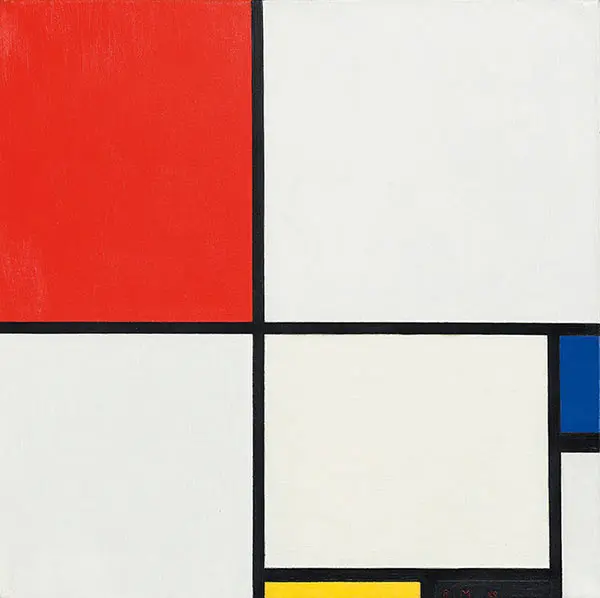
Building a layout worth $50 million with CSS Grid
Read more: Building a layout worth $50 million with CSS GridCSS Grid is a grid-based layout system, which uses both rows and columns. It’s been around for several years, is supported by all modern browsers and is becoming increasingly common. Here we go over the basics by recreating an artistic masterpiece using only CSS Grid. You’ll learn how to define grid containers, tracks and gaps, place items precisely and create responsive designs without media queries. Plus how to layer elements and mix Grid with Flexbox for dynamic layouts on all devices.
-

Installing Joomla locally using Wamp
Read more: Installing Joomla locally using WampThere are many methods of setting up your environment when developing your site. One of the most efficient is to work in a local environment during development, do all your work there and then migrate everything online. We discuss different tools like MAMP, WAMP and Docker, how to configure a local Joomla installation and how to push your changes to a production server. Local development saves time, reduces risk and improves productivity. We also explain using version control and avoiding conflicts in teamwork.
-

Accessing your Joomla database with phpMyAdmin
Read more: Accessing your Joomla database with phpMyAdminA Joomla site consists of one database and many files and directories. It’s in this database that Joomla stores most of its data, from article content to menu items, usernames and extension settings. This article explains how to access the Joomla database using phpMyAdmin. We guide you through logging in, locating tables, exporting data and making safe edits. You’ll learn why backups are essential and how to protect your database, ensuring your content remains accessible and secure.
-

Your PHP version and the Joomla System Information panel
Read more: Your PHP version and the Joomla System Information panelMaking sure the correct PHP version is installed on your web server is important for Joomla to run correctly. Fortunately, Joomla has a helpful System Information panel, where you can find not only the PHP version but a great deal of other useful information about your website and server environment. In this article we show you how to access this panel, interpret its entries and make necessary adjustments. Upgrading to a supported PHP version improves security and performance.
-

How to create and publish a new Joomla article
Read more: How to create and publish a new Joomla articleSo you have successfully set up your Joomla website and would like to publish your first article. In this article we show you how to create, edit and publish an article within Joomla. We walk you through the interface, explain categories, statuses and access levels, and demonstrate adding media. We also offer advice on formatting, using editor plugins, organising your content and managing workflows so you can publish confidently and efficiently. We also cover metadata, slugs and image optimisation.
-

Adding Google Tag Manager to a Joomla site
Read more: Adding Google Tag Manager to a Joomla siteGoogle Tag Manager is a free service offered by Google that allows you to add and manage tags on your website. In this article we show you how to add Google Tag Manager to your Joomla site. You’ll learn about containers, triggers and variables, and how to set up your first tags without editing code. We explain the benefits of centralised tag management, outline best practices for organising your tags and give tips for testing changes. Also learn preview and debug modes and collaborate effectively.
-

Adding Google Analytics to a Joomla site
Read more: Adding Google Analytics to a Joomla siteGoogle Analytics is one of the first things you should enable if you plan to run a serious website, as the information you get is rich and thorough. It will help you see what your users want and what changes to make to better meet their needs. In this article we show you how to add Google Analytics to your Joomla site. We cover creating an account, inserting the tracking code, understanding basic reports and using the data to improve content, navigation and marketing efforts.
-

Changing your page URL and setting up redirects
Read more: Changing your page URL and setting up redirectsRedirects: something you might think you won’t need in your developing adventures. Nonetheless, it’s basic knowledge for a web developer. In this article we see what page redirects are and what the best way to use them is. We explain the differences between 301 and 302 statuses, when to use each and how to create redirects in Joomla. You’ll learn why proper redirects improve SEO, maintain user experience and prevent broken links, keeping your site organised. We also mention avoiding slow redirect chains.
-

Adding Open Graph to your Joomla site
Read more: Adding Open Graph to your Joomla siteWhether you like it or not, Facebook is all around us. And if you want to have a great presence online, integration with social networks is a must. Let’s see what Open Graph is and how to add it to your Joomla site. We explain the basics of the Open Graph protocol, why optimal previews help attract clicks and how to implement the required meta tags. You’ll learn how to choose the right images, titles and descriptions to represent your content on social platforms. We also show how to validate tags.
-

Creating a simple contact form with RSForm! Pro
Read more: Creating a simple contact form with RSForm! ProForms are an integral part of many websites. From contact forms to registration and other data submissions, forms collect information. In this article we explain how to create and publish a simple form in Joomla using the extension RSForm! Pro. We walk through installation, field configuration, form display and validation settings. You’ll learn to build a user-friendly form, handle submissions safely and send notifications. We also cover adding consent and spam protection to match your brand.
-

Implementing Google GSS within Joomla
Read more: Implementing Google GSS within JoomlaEarlier this year we were tasked with adding advanced search functionality to multiple Joomla websites. The project requirements ruled out using the standard Joomla Search, and after reviewing various solutions we decided to work with Google GSS. This post looks at how we implemented Google GSS within Joomla. We describe setting up indexes, customising results and integrating the search box. You’ll also learn to style results and embed the search box without disrupting design.
-

A brief history of HTML/CSS layouting
Read more: A brief history of HTML/CSS layoutingLayouting can be difficult, particularly when it comes to responsive layouts. For beginners the sheer variety of possible approaches makes things more confusing still, at least this was the case for me. In this article we set those approaches in context and add a timeline to make things a little clearer. You will learn how CSS Grid and Flexbox evolved, what mobile-first means and how to choose the right method for your project, avoiding common pitfalls while building flexible layouts that work on every device.
-

How to find & install a Joomla extension
Read more: How to find & install a Joomla extensionOnce your Joomla site is up and running, the next step is often to install extensions to add features to your website. In this article we help you find the right extension and install it on your Joomla website. We outline the different types of extensions and how to search for them, check compatibility, read reviews and safely install them. We also provide tips for keeping extensions updated and avoiding conflicts that could affect performance or security. We also explore the official directory and licensing.
-

Adding a Google Map to your Joomla site
Read more: Adding a Google Map to your Joomla siteGoogle Maps is the world’s most popular mapping and navigation tool. Embedded Google Maps are a standard feature on many websites. In this article we explain how to embed a Google Map on your Joomla site, to help your users easily find the location of your business. You’ll learn how to obtain an API key, choose a suitable extension, configure the map and customise its appearance. Additionally, we cover Street View, markers and route directions, plus performance and privacy tips.