
Our Joomla Magazine: Tutorials, Features & How-To Guides
On this page, you’ll find answers to Joomla questions, tips for handling common tasks in Joomla, and tutorials on key Joomla features. If you have a question we haven’t covered yet: just get in touch!
-

Two decades of Joomla: 2005 to 2025
Read more: Two decades of Joomla: 2005 to 2025In 2025 Joomla turns 20. That’s a remarkable run for any piece of software, let alone one that has survived entirely on the energy and goodwill of its contributors. If you own or maintain a Joomla website, understanding where the platform has come from and where it’s heading can help you make better decisions. In this article we reflect on milestones, celebrate the community and discuss future trends to guide your strategy. We also spotlight community contributions and how to get involved.
-

What’s new in Joomla 6?
Read more: What’s new in Joomla 6?Joomla 6 brings a modernised, faster and more secure CMS built for PHP 8.2 with cleaner code, better accessibility and new admin tools. Slated for Q4 2025, it’s a smart evolution rather than a redesign – no rush to upgrade, but strong reason to leave Joomla 3 and 4 behind before security risks stack up. We outline the main improvements, what they mean for developers and site owners, and how to prepare your current site for a smooth transition. We also give examples of new features.
-

Uploading Files with Joomla 5.3
Read more: Uploading Files with Joomla 5.3Joomla’s media manager long kept everything in a single /images folder. If you’ve ever uploaded a terms-and-conditions PDF into a folder called “images”, you know how messy that looks. With Joomla 5.3 a dedicated /files folder was quietly introduced, making document uploads cleaner and easier to manage. We explain how to enable the new folder, organise your media more logically and migrate existing documents. Better organisation improves workflow and reduces confusion. We also cover organising subfolders.
-

Cookies on Joomla Websites
Read more: Cookies on Joomla WebsitesAs privacy laws tighten worldwide, Joomla site owners shouldn’t underestimate cookies. Knowing what cookies are, how rules apply and which tools help is crucial to stay compliant and protect your users’ data. This article explains the legal landscape, shows how to audit your site’s cookies and demonstrates extensions that help you display consent notices, block non-essential scripts and document preferences. Stay transparent, respect user privacy and avoid penalties by implementing best practices.
-

Fixing & Preventing Joomla Hacks
Read more: Fixing & Preventing Joomla HacksEven though major hacks make fewer headlines these days, Joomla websites are still attractive targets. We regularly help site owners recover from intrusions and the pattern rarely changes: an outdated Joomla core, insecure extensions or a misconfigured server give attackers an easy opening. In this article we discuss how to recognise vulnerabilities, keep your software up to date, choose trusted extensions and configure servers safely. Prevention and vigilance are key to avoiding disaster.
-

Making Joomla Faster
Read more: Making Joomla FasterJoomla does a decent job straight out of the box, yet bloated templates, oversized images and dozens of extensions can drag it down. With a few well-placed tweaks you can squeeze remarkable performance out of your site – and it doesn’t have to take all weekend. We show how to slim down your template, compress images, enable caching and use content delivery networks. Combined with server tweaks, these steps help your Joomla site load faster and rank higher. We also cover minifying code and pruning unused CSS.
-

Customise Joomla’s 404 Error Page
Read more: Customise Joomla’s 404 Error PageWhen visitors stumble across a broken link, the last thing you want is a jarring error page that makes them feel lost or unwelcome. In Joomla, the default 404 page can look stark and might even return the wrong status code. By taking a few practical steps you can transform this negative moment into a helpful, on-brand experience that guides people back to your content. We show how to customise the error page, set proper headers and offer search or navigation links, plus adding search boxes and adjusting style.
-

Customising the Joomla Login
Read more: Customising the Joomla LoginMost Joomla administrators never give their login pages a second thought. They leave the default colours, logos and messages in place, even though these screens are often the first thing a client or contributor sees. With a few minutes’ work you can make the login experience feel like part of your brand and guide users to where you want them to go. This article explains how to customise colours, replace the logo and add text so users feel welcomed and confident. We show how to tweak buttons and messages.
-

AI Crawlers and the Advent of GEO
Read more: AI Crawlers and the Advent of GEOGenerative AI is already reshaping how people find answers online. Joomla site owners need to think about the shift from SEO to GEO and decide whether to let their content feed these hungry bots or keep their content under lock and key. This article explores how search is evolving, what it means for content creators and which strategies can help you remain visible without giving away everything. We discuss structured data, licensing options and balancing reach with protection.
-

Customising the Joomla Dashboard
Read more: Customising the Joomla DashboardJoomla’s default admin can feel like a messy garage – full of tabs and tools you barely use. The good news is that you can tidy things up and build a backend that reflects your brand and makes sense to the people who use it every day. We show you how to rearrange menus, hide unused components, configure dashboard modules and apply custom branding. By organising the interface and simplifying workflows, you can improve efficiency and make daily tasks enjoyable. We also cover role-based access and shortcuts.
-
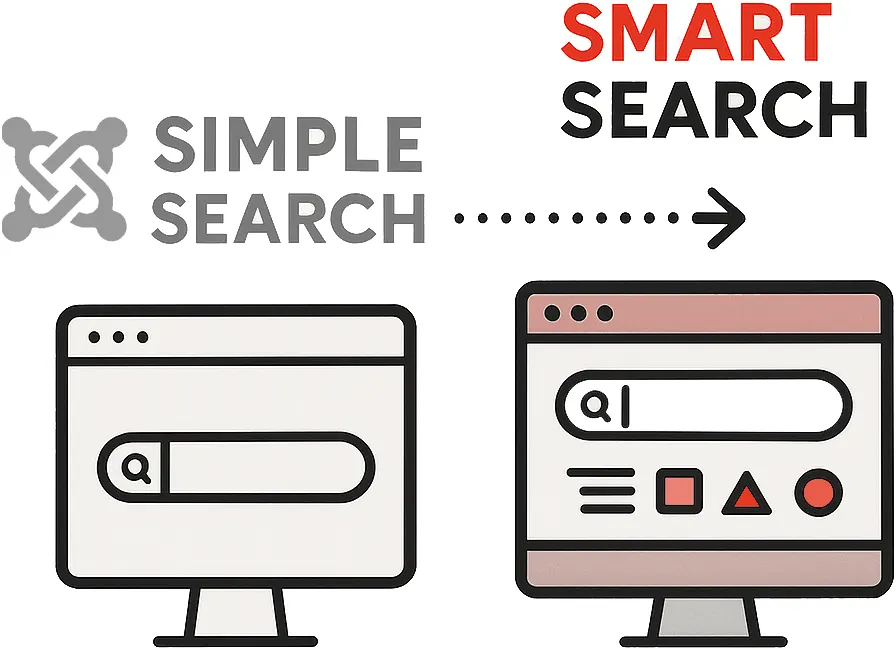
Smart Search in Joomla 4 & 5
Read more: Smart Search in Joomla 4 & 5If your Joomla site holds more than a handful of pages, your visitors will lean on search to find what they need. For years Joomla offered a simple search that did little more than scan article titles with a basic SQL query. With the arrival of Smart Search, the CMS gained a more intelligent, index-based engine that can rank results by relevance and let users filter down by author, category, language and more. This article explains setup and optimisation. We also cover tuning the search module and ranking options.
-

Optimising Your Joomla Site
Read more: Optimising Your Joomla SiteBuilding a Joomla 5 website has never been easier, yet getting it noticed and performing well takes more than ticking a couple of boxes. Optimisation is an ongoing, holistic process that starts with the server under your site and ends with how humans experience every click. We discuss planning for performance, choosing fast hosting, configuring caching and compression, structuring content for SEO and accessibility, and monitoring metrics to continuously improve. We emphasise accessibility and inclusive design.
-

Choosing Image File Types
Read more: Choosing Image File TypesImages are everywhere on websites, but using the wrong file type or letting oversized pictures creep in can quietly undermine your Joomla site. This guide walks you through the pros and cons of each image format and offers practical advice on managing media so your pages load quickly without sacrificing quality. We cover compression, responsive images, WebP conversion and image dimensions. Follow our tips to streamline your site and deliver fast, crisp visuals to your visitors.
-

Forms in Joomla: extensions & best practices
Read more: Forms in Joomla: extensions & best practicesForms are the unsung heroes of every Joomla website – they turn visitors into subscribers, customers and contributors. Over the past decade Joomla’s form landscape has evolved from simple contact forms to rich tools for surveys, bookings and payments, and modern extensions make building them faster and more secure than ever. We explore the latest trends, highlight powerful form builders and share tips for designing accessible, conversion-friendly forms that integrate with your workflows.
-

SEO optimisation for Joomla
Read more: SEO optimisation for JoomlaFor most websites SEO is a useful bonus, not an existential lifeline, yet it’s worth investing a little time to avoid certain key mistakes. If your business depends on search rankings, it’s wise to pair these tips with a professional audit. In this article we outline common pitfalls, explain the basics of on-page optimisation and show how to become more visible with keyword research, structured data, clean code and quality backlinks. Plus tips on analytics integration and blending SEO with usability.
-

Our thoughts on Joomla 5
Read more: Our thoughts on Joomla 5We’re always excited when a new major version drops, but we’re also cautious: upgrading is an opportunity to make things better, not a race to tick a box. Joomla 5 isn’t a revolution – it’s a release focusing on speed, security and usability improvements. In this article we highlight the key changes, explain how to prepare for the upgrade, test extensions and templates and migrate safely. Taking a thoughtful approach ensures you reap the benefits without disruption. We also advise checking compatibility.
-

Setting Up a Multilingual Joomla Site
Read more: Setting Up a Multilingual Joomla SiteIf your business operates in more than one language, Joomla is a solid choice for your web project. Multilingual support comes baked into the core, so you don’t need to bolt on third-party plugins or wrestle with complicated workarounds. In this guide you’ll learn how to make use of the built-in tools and get your multi-language site running smoothly. We cover language switchers, content associations and tips for translation workflow. We also discuss translation quality and language SEO.
-

Centralising resources across multiple Joomla websites
Read more: Centralising resources across multiple Joomla websitesIn 2016 a client asked us to implement three or four visually similar websites in quick succession and with tight deadlines. These sites featured only small visual differences, and all adhered to a strict corporate style guide. Read how we centralised code and resources across multiple Joomla websites. We share how we reused layouts, components and custom modules to save time, kept branding consistent and employed version control to manage changes. The lessons apply to any multi-site project.
-

Building a Joomla development workflow with Akeeba UNiTE
Read more: Building a Joomla development workflow with Akeeba UNiTERecently our team was faced with the challenge of building a dedicated Joomla deployment workflow. In this article we explain how we achieved this using Akeeba UNiTE. We describe why automated deployment improves reliability, how to configure backups, build pipelines and link repositories to staging and production servers. You’ll see how a streamlined workflow saves time and get practical advice for setting up your own pipeline. We also cover continuous integration and staging to ensure stability.
-

The Basics of Web Accessibility
Read more: The Basics of Web AccessibilityWeb accessibility is about making digital experiences inclusive for all users, irrespective of physical or cognitive impairments. This article explores the fundamentals, from the four POUR principles to common features and testing methods. We share personal insights on why accessibility is a core value for our agency and show how accessible design benefits everyone. You’ll learn practical steps and tools to evaluate and improve your site, creating an inclusive, compliant and user-friendly experience.